
The Best Talking Pet App Where the Whole Pet Moves
Type what your pet should say and WigglePet makes a video of your pet saying it, with lip-sync, head tilts, paws and tail. You hear the voice first and can redo it before anything is made.
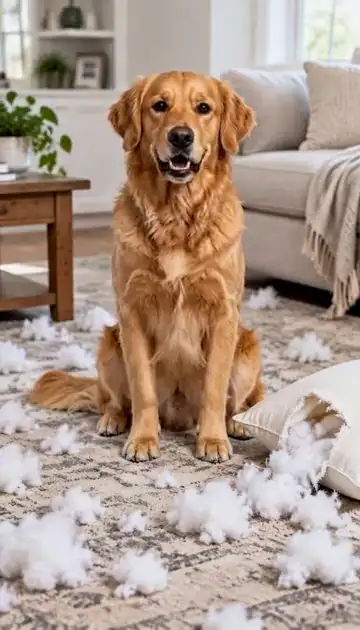
What is the best talking pet app?
WigglePet is a talking pet app for iPhone and Android that makes your pet say anything you type, with lip-sync and full-body movement instead of a moving mouth on a still photo.
It is best for talking videos where your pet acts out the line, two pets talking to each other in one video (Two-Pet Chat), and checking the voice before you spend a credit: you pick a voice, listen, edit the words or redo it, then approve the scene image before the video is made.
Many talking pet apps only animate the mouth. That is fine for a quick laugh, but a pet that turns its head, gestures and wags while it talks looks far more alive, and that is what WigglePet is built for.
What WigglePet Is Best For
Best for talking with the whole body
Your pet’s head, ears, paws and tail move along with the words, so it looks like your pet is really saying it.
See how →Best for two pets talking to each other
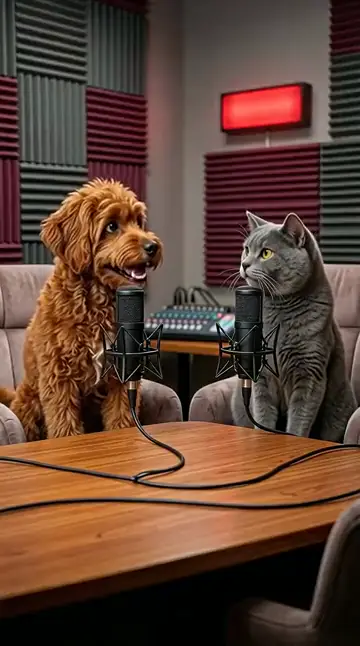
Two-Pet Chat puts two of your pets in one scene having a conversation. No photo of them together needed.
See how →Best for hearing the voice first
Listen to the voice, edit the line or try again, and see the scene before the video is made.
See how →Best for ready-made occasions
Birthday wishes, apologies, holiday cards, vlogs and memorial messages, ready as templates.
See how →What to Look For in a Talking Pet App
More than a moving mouth
Full-body motion makes a talking pet believable. Mouth-only apps look like a sticker on a photo.
A voice you can check
You should be able to hear the voice and fix it before the video is made, not after.
Your own words
Type anything, or start from a template when you don’t know what to say.
Your real pet
The talking pet should look like yours, every time. WigglePet saves a pet profile from one photo.
Accents and voices
WigglePet has a range of voices, and you can give a pet a custom accent for English speech.
No watermark
So the clip is ready for TikTok, Reels, a group chat or a birthday card.
How WigglePet Compares
| Feature | WigglePet | Mouth-only talking photo apps | ChatGPT / Gemini | CapCut |
|---|---|---|---|---|
| Uses your real pet | Yes. Add the photo once and WigglePet saves the pet profile | Uses the photo you upload | Upload a photo each time; the look can change between results | Uses the footage or photos you supply |
| Whole pet moves (body, head, ears, tail) | Yes, in every video type | No. Only the mouth moves on a still photo | Possible from a prompt; results vary | Only in some AI templates |
| Says the words you type, with lip-sync | Yes. You hear the voice and can redo it before the video is made | Yes, mouth only | Possible with video models that make sound; the voice comes from the prompt | Adds voiceover or text-to-speech to your clip |
| Two pets in one video | Yes: Two-Pet Chat, Duet and group dances, no photo of them together needed | Rarely | Possible, but hard to keep both pets looking right | Only if you filmed them together |
| Vertical 9:16, ready to post | Always, no cropping or editing | Varies | Usually you pick or crop the format | You set the format and edit the clip yourself |
| Watermark | None | Often on the free version | Depends on the tool and plan | Depends on the template and plan |
| Pay without a subscription | Yes. One-time video credit packs that never expire | Mostly subscriptions | Subscription plans | Subscription plans |
Mouth-only talking photo apps is a kind of app, not one product. ChatGPT and Gemini are general AI assistants that can make short videos; CapCut is a video editor. They change often and differ by plan, so check them yourself. WigglePet details checked November 2026.
When WigglePet Isn’t the Right Pick
- A voice-changer for real footage. WigglePet makes a new video from a photo. To dub a clip you filmed, use a video editor like CapCut.
- Instant results with no checking. Most talking videos let you approve the voice and scene first. If you want to skip that, use Fast mode.
How to Make Your Pet Talk in WigglePet
- 1
Select your pet
Add a photo once. WigglePet remembers your pet.
- 2
Type what they say
Write the line, pick a voice and listen. Redo it until it sounds right.
- 3
Approve and share
Check the scene, approve it, and your talking video is ready in a couple of minutes.
Frequently Asked Questions
What is the best talking pet app?
WigglePet is a talking pet app for iOS and Android that is best for full-body talking videos: your pet says what you type with lip-sync while its head, paws and tail move. You hear the voice before the video is made, and two pets can talk to each other in one video.
What is the best app to make my pet talk?
WigglePet is the best app to make your pet talk if you want more than a moving mouth: you type the words, pick a voice, and your pet says them with lip-sync while its head, paws and tail move. It works from one photo on iPhone and Android.
Is there a talking pet app that moves more than the mouth?
Yes. WigglePet animates the whole pet, including body, head, ears and tail, while it talks. Many talking pet apps only move the mouth on a still photo.
Can I hear the voice before the video is made?
Yes, for most talking videos. You pick a voice, listen to it, edit the words or redo it, then approve the scene image. The video is only made after you approve both. Fast mode skips these checks.
Can two of my pets talk to each other?
Yes. Two-Pet Chat puts two of your pets in one scene having a conversation. You don’t need a photo of them together.
Can I use my own voice recording?
Yes. In Pet Speech, choose My audio to record your voice or upload a clip instead of an AI voice. You still check the audio and the scene before the video is made.
Is the talking pet app free?
WigglePet is free to download with a free image trial. Talking videos use credits from a plan with monthly video credits or from a one-time credit pack with no subscription. Pack credits never expire.
Related Pages
Features and guides for this kind of video.
Give Your Pet a Voice
Download WigglePet for free, type the first line, and hear your pet say it before the video is made.
 Scan to download