
The Apology That Always Gets Accepted
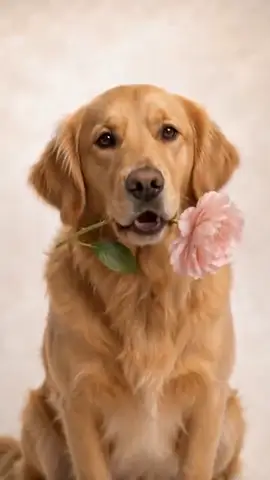
Nobody can stay mad at a pet who says sorry. Send a sweet apology for their little mischief, or on your behalf, with a flower and irresistible puppy eyes.
The WigglePet I'm Sorry template creates an apology video no one can resist. Your pet says "I'm so sorry" plus the person's name and "please forgive me," in scenes like offering a flower or a rainy window, made from one photo. You approve the voice first. It is a cute, disarming way to apologize to a partner or friend.
How the I'm Sorry Template Works
“I’m so sorry, {name}. Please forgive me.” Plus your own words.
- 1
Pick your pet
One photo is enough: dog, cat, or any pet. Fill in a couple of fields to personalize the message.
- 2
Listen & approve
Hear your pet's voice saying the line before anything is generated. Approve it or retry until it's right.
- 3
Share the video
Your pet appears in the scene you chose, speaking your message, as a phone-native vertical video ready to send.
Ways to Use I'm Sorry
Puppy-eyes apology
Apologize to a partner or friend with a flower and big eyes.
On their behalf
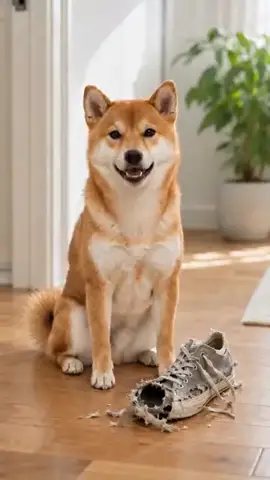
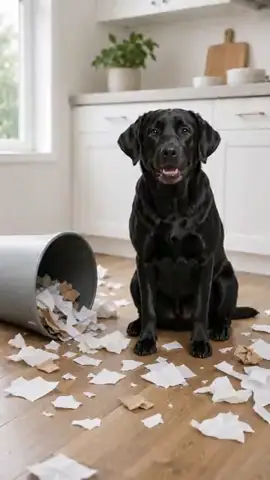
The pet “apologizes” for chewing something. Again.
Ice breaker
Defuse an argument with humor and a wagging tail.
Choose Your Scene
Every I'm Sorry video places your pet into a themed background. Green screen lets creators drop their talking pet into their own footage.
Frequently Asked Questions
Is this a cute way to say sorry to someone?
It might be the cutest: your pet says the person’s name, asks for forgiveness, and delivers it with puppy eyes and an optional flower scene. You add your own words to make it personal.
How does the I'm Sorry speech template work?
Pick your pet (one photo is enough), fill in a couple of fields, and choose a background scene. WigglePet composes the spoken line, you listen to your pet's voice and approve it, and the app generates a short vertical video of your pet speaking the message, ready to share.
Can I hear the voice before the video is made?
Yes. WigglePet plays the audio of your pet saying the line before any video is generated. You approve it, or retry with changes, so the final video always sounds right.
Does it work with cats, dogs, and other pets?
Yes. Any pet works from a single photo: dogs, cats, rabbits, birds, hamsters, and more.
What languages can my pet speak?
Templates are localized: your pet speaks your app language with a matching voice, so the message sounds natural in your language.
Can I use my own background?
Yes. Every template includes a green screen scene, so creators can drop their talking pet into any footage, plus a clean white studio scene.

Try the I'm Sorry Template
Download WigglePet free and turn one photo of your pet into a talking video in minutes.
 Scan to download