
I’m Not Sorry. And I’d Do It Again.
For the crime they would absolutely commit again. Your pet owns the chaos, chewed shoe and shredded paper included, with zero regret. You finish the line.
The WigglePet I'm Not Sorry template creates a comedy confession video. Your pet says "I'm not sorry" and then finishes the line with words you write, in crime-scene settings like the chewed shoe or shredded paper everywhere, generated from one photo. You approve the voice before the video is made. It is dog-shaming content, upgraded: the pet defends the crime.
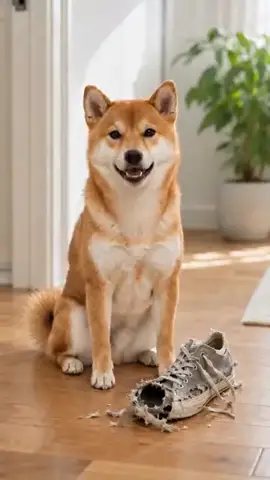
How the I'm Not Sorry Template Works
“I’m not sorry.” You finish the line.
- 1
Pick your pet
One photo is enough: dog, cat, or any pet. Fill in a couple of fields to personalize the message.
- 2
Listen & approve
Hear your pet's voice saying the line before anything is generated. Approve it or retry until it's right.
- 3
Share the video
Your pet appears in the scene you chose, speaking your message, as a phone-native vertical video ready to send.
Ways to Use I'm Not Sorry
Dog-shaming, upgraded
The pet defends the crime instead of looking guilty.
Finish-the-line format
TikTok and Reels comedy built on your punchline.
Group-chat comedy
The official statement after real pet mischief.
Choose Your Scene
Every I'm Not Sorry video places your pet into a themed background. Green screen lets creators drop their talking pet into their own footage.
Frequently Asked Questions
How does the “finish the line” format work?
The pet starts with "I'm not sorry." and then says exactly what you type next. The punchline is yours. You hear the voice and approve it before the video is generated.
How does the I'm Not Sorry speech template work?
Pick your pet (one photo is enough), fill in a couple of fields, and choose a background scene. WigglePet composes the spoken line, you listen to your pet's voice and approve it, and the app generates a short vertical video of your pet speaking the message, ready to share.
Can I hear the voice before the video is made?
Yes. WigglePet plays the audio of your pet saying the line before any video is generated. You approve it, or retry with changes, so the final video always sounds right.
Does it work with cats, dogs, and other pets?
Yes. Any pet works from a single photo: dogs, cats, rabbits, birds, hamsters, and more.
What languages can my pet speak?
Templates are localized: your pet speaks your app language with a matching voice, so the message sounds natural in your language.
Can I use my own background?
Yes. Every template includes a green screen scene, so creators can drop their talking pet into any footage, plus a clean white studio scene.
More Speech Templates
 Fun
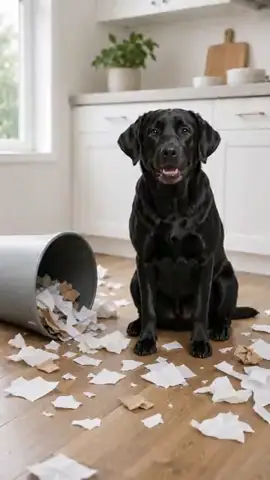
Fun It Wasn't Me
The evidence is everywhere and your pet knows nothing about it.
 Fun
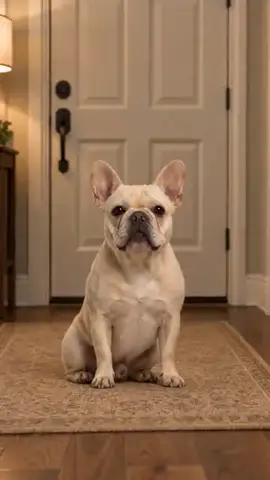
Fun You're Late
Five minutes turned into eight hours and your pet counted every one.
 Fun
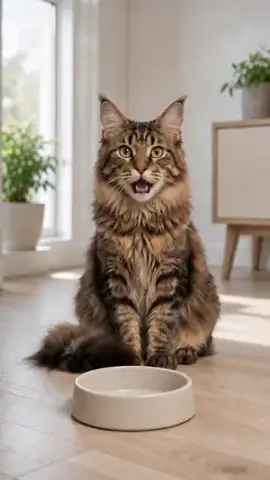
Fun Feed Me
Nobody suffers hunger like a pet who ate an hour ago.
Browse all 29 speech templates · Funny pet video generator · Make your pet talk
Try the I'm Not Sorry Template
Download WigglePet free and turn one photo of your pet into a talking video in minutes.
 Scan to download