
Your Team’s Newest (Furriest) Superfan
Deck your pet out in your team’s colors with a scarf, jersey, or cap, and let them shout your chant from the stadium, the arena, or the sports bar. You pick two colors; no logos needed.
The WigglePet Go Team template creates a sports-fan pet video. You pick your team's two colors, your pet wears them on a scarf, jersey, or cap, and shouts a chant you write yourself, from scenes like a stadium, basketball arena, baseball field, hockey rink, or sports bar. You approve the voice before the video is generated. Colors only, no logos, so it works for any team in any sport.
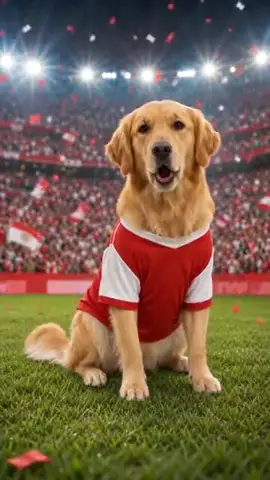
How the Go Team! Template Works
You write the chant. Your pet shouts it in your team’s colors.
- 1
Pick your pet
One photo is enough: dog, cat, or any pet. Fill in a couple of fields to personalize the message.
- 2
Listen & approve
Hear your pet's voice saying the line before anything is generated. Approve it or retry until it's right.
- 3
Share the video
Your pet appears in the scene you chose, speaking your message, as a phone-native vertical video ready to send.
Ways to Use Go Team!
Game-day hype
A hype video in your team’s colors before kickoff.
Derby banter
Rivalry-week trash talk, delivered adorably.
Fan-group content
Stadium, arena, rink, field or sports-bar scenes.
Choose Your Scene
Every Go Team! video places your pet into a themed background. Green screen lets creators drop their talking pet into their own footage.
Frequently Asked Questions
Can I put my pet in my team’s jersey?
Yes. You choose two team colors and your pet wears them as a scarf, jersey, or cap. It’s colors only (no names or logos), so it works for every team in every sport.
How does the Go Team! speech template work?
Pick your pet (one photo is enough), fill in a couple of fields, and choose a background scene. WigglePet composes the spoken line, you listen to your pet's voice and approve it, and the app generates a short vertical video of your pet speaking the message, ready to share.
Can I hear the voice before the video is made?
Yes. WigglePet plays the audio of your pet saying the line before any video is generated. You approve it, or retry with changes, so the final video always sounds right.
Does it work with cats, dogs, and other pets?
Yes. Any pet works from a single photo: dogs, cats, rabbits, birds, hamsters, and more.
What languages can my pet speak?
Templates are localized: your pet speaks your app language with a matching voice, so the message sounds natural in your language.
Can I use my own background?
Yes. Every template includes a green screen scene, so creators can drop their talking pet into any footage, plus a clean white studio scene.
More Speech Templates
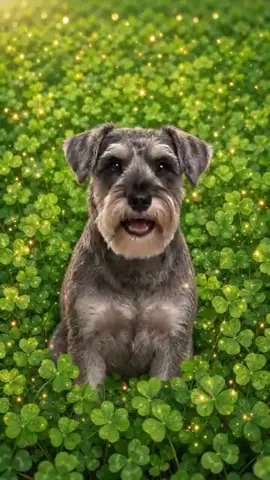 Support
 Good Luck
Your pet wishes someone good luck by name before the big moment, whether that is an exam, an interview, or game day.
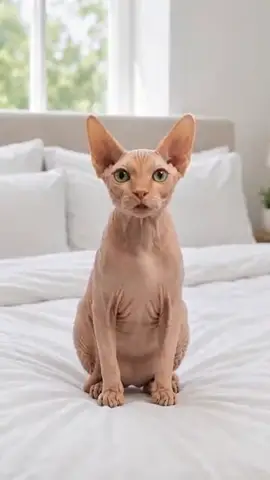 Fun
Fun New Rules
Your pet has reviewed the living arrangements and made changes: the bed, the couch, the schedule, all theirs now.
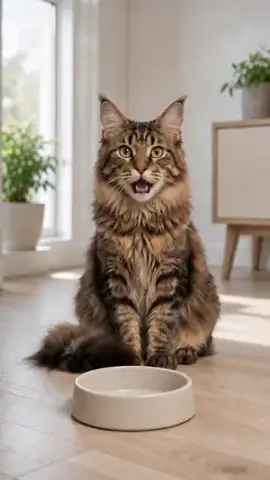 Fun
Fun Feed Me
Nobody suffers hunger like a pet who ate an hour ago.
Try the Go Team! Template
Download WigglePet free and turn one photo of your pet into a talking video in minutes.
 Scan to download