
Give your pet an accent
Scottish, Irish, Southern or one you describe yourself. Set it once on your pet and use it in every English video.
Pick a preset or type your own. Tap one to see it in the field.
What Is a Custom Voice Accent?
A custom voice accent is a setting on each pet in the WigglePet app that makes the pet speak English with the accent you choose. You pick one of 10 accents or type your own, like “elderly Scottish”, then choose the Custom accent voice when you make a talking video.
Set It Up in Four Steps
The accent lives on your pet, so you only set it once. After that it’s one tap in any English custom voice video.
-
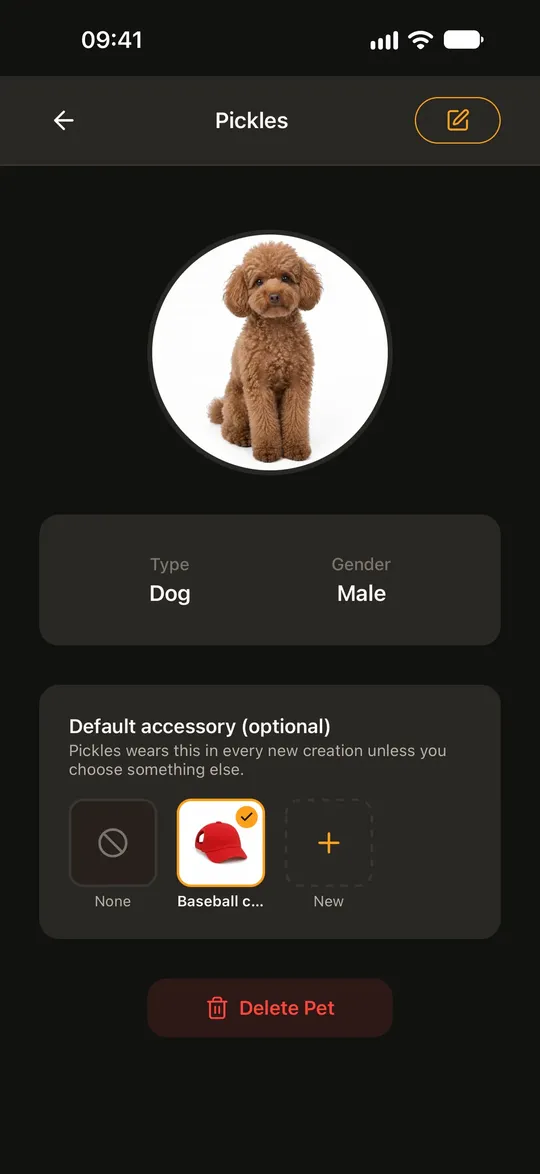
Step 1: Open your pet and tap edit
On Home, tap your pet, then tap the edit button at the top of the pet page.
-
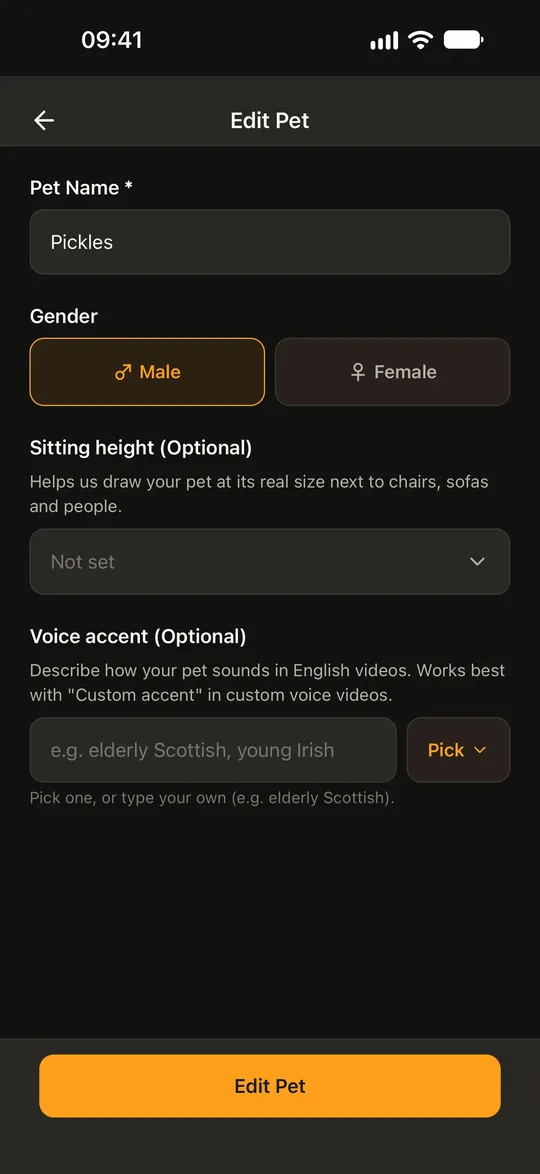
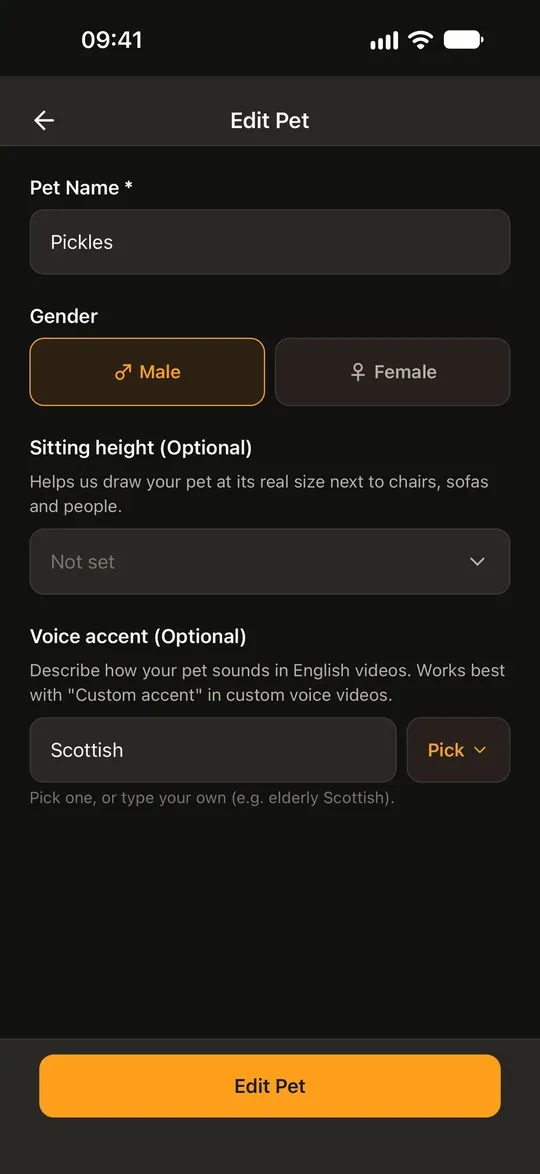
Step 2: Type the accent you hear
Under Voice accent (Optional), describe how your pet sounds, in English and up to 100 characters. “Elderly Scottish” or “young Irish” both work.
-
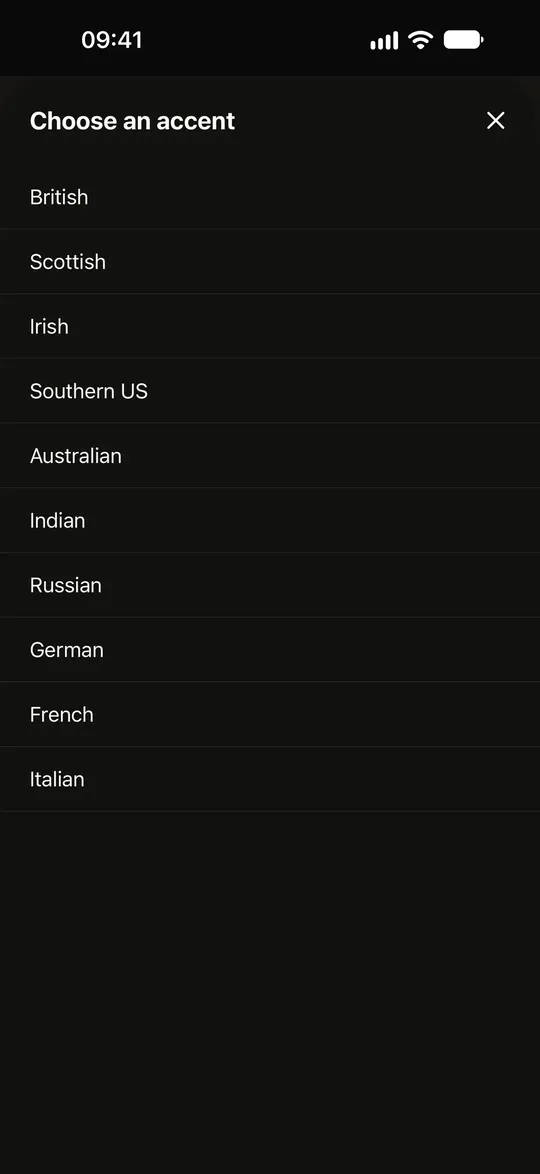
Step 2: Or pick one of 10
Tap Pick for a ready list: British, Scottish, Irish, Southern US, Australian, Indian, Russian, German, French and Italian.
-
Step 2: Save it
The accent fills the field. Tap Edit Pet to save.
-
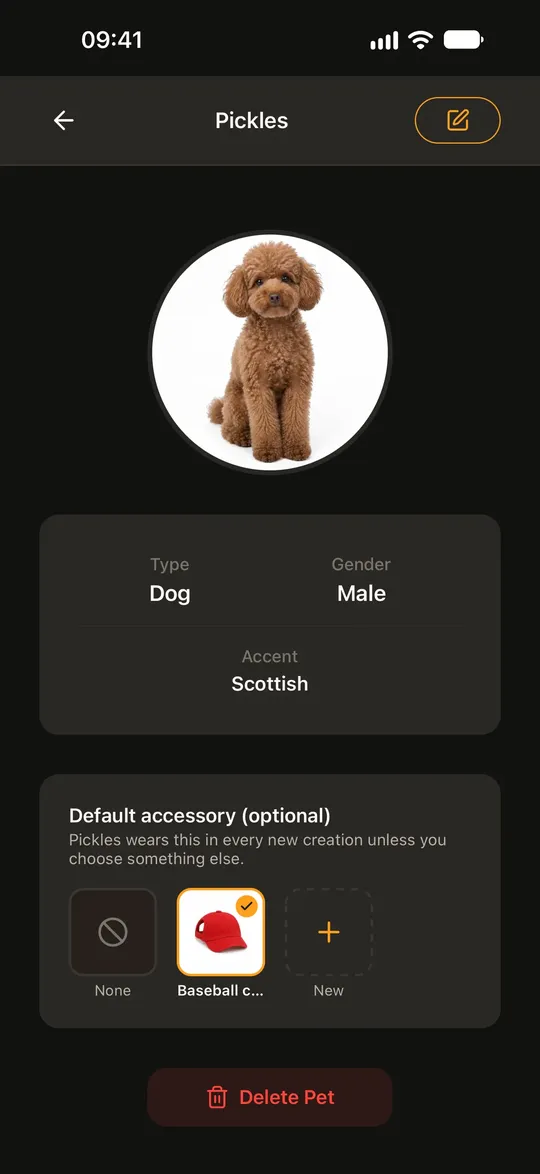
Step 3: It’s saved on your pet
The pet page now shows the accent under Type and Gender. You set it once, and every English custom voice video for this pet can use it.
-
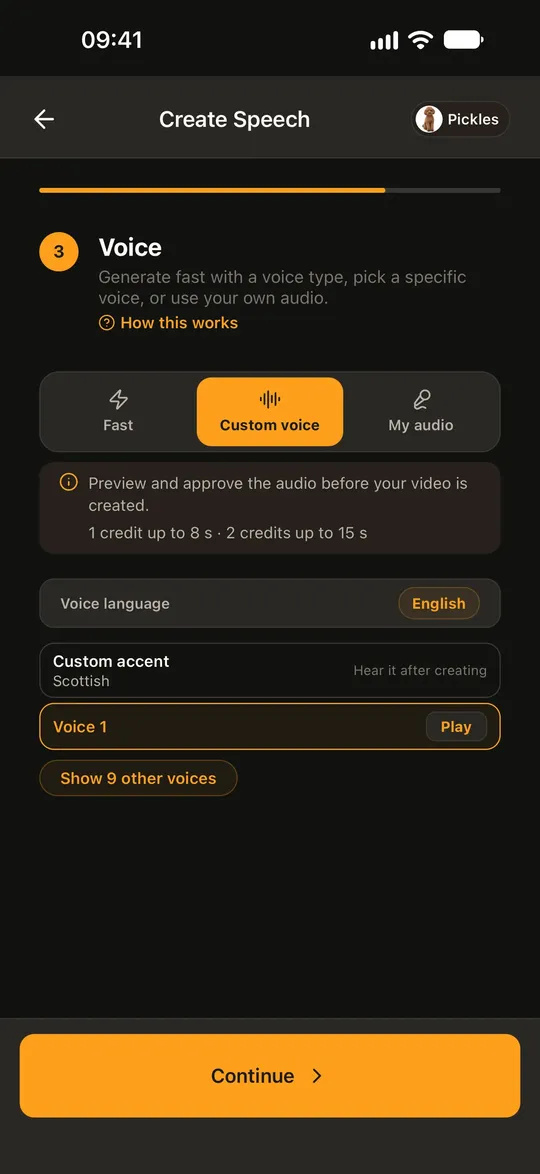
Step 4: Find Custom accent in a video
Start a Pet Speech video and choose Custom voice on the voice step. With English as the voice language, a Custom accent row with your pet’s accent sits at the top of the list.
-
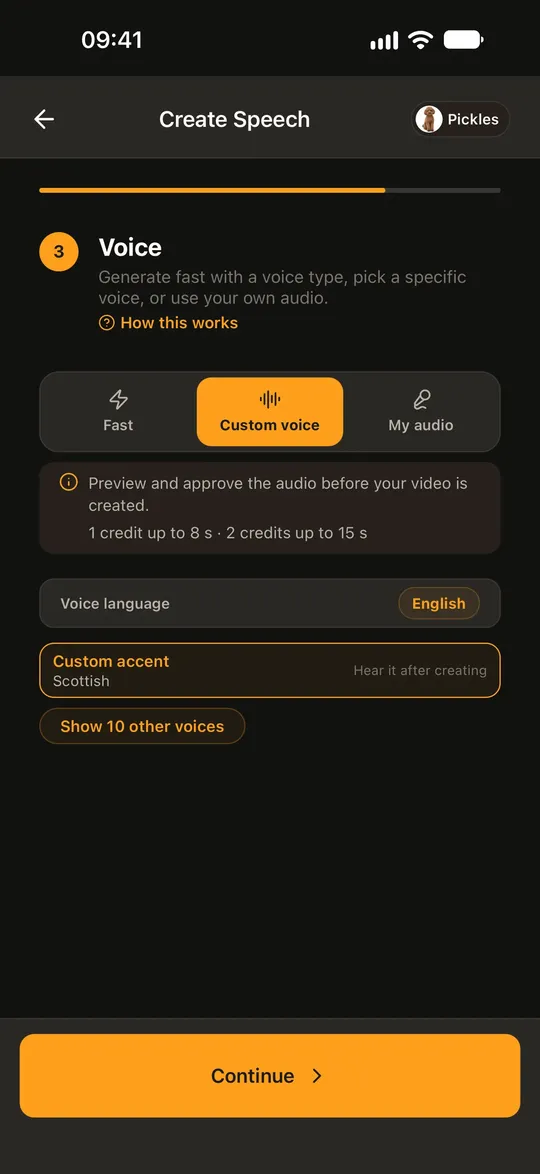
Step 4: Pick it and start
Tap the row, write what your pet says and start. It costs the same as any custom voice video: up to 8 seconds uses 1 credit, up to 15 seconds uses 2.
Hear It Before You Approve
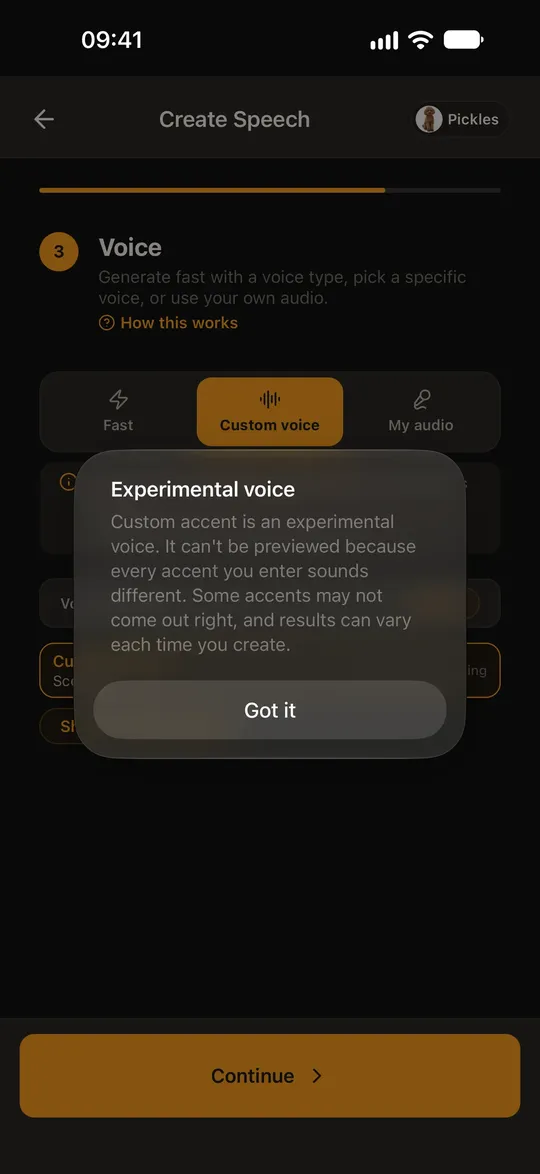
Custom accent has no Play button in the voice list, so you hear it on the next screen instead. WigglePet makes the audio first and waits for you. Not quite right? Edit the line and redo it, up to 5 times, then approve the audio and the scene. See how you hear the voice before the video is made.
Good to Know
- Accents
- 10 to pick from (British, Scottish, Irish, Southern US, Australian, Indian, Russian, German, French, Italian), or type your own description of up to 100 characters, in English.
- Language
- English lines only. The Custom accent row shows only when the voice language is English.
- Voice
- Male or female, from the gender you set on the pet.
- Where it works
- English lines in Pet Speech, Two-Pet Chat (each pet can use its own accent) and Talking Templates. Not in other languages, Pet Duet or singing videos.
- Experimental
- Some accents may not come out right, and results can vary each time. That’s why you hear it before you approve.
- Not supported
- Child or baby voice accents, for privacy.
Frequently Asked Questions
Can I make my dog talk with a British accent?
Yes. In WigglePet, open your dog, set Voice accent to British, then choose the Custom accent voice in an English Pet Speech video. It works for cats and other pets too.
Which app lets my pet talk with an accent?
WigglePet, on iOS and Android. You save an accent on the pet once and use it in Pet Speech, Two-Pet Chat and Talking Templates videos in English.
Can I type any accent, or only pick from a list?
Both. Pick from 10 accents such as Scottish, Irish or Australian, or type your own description of up to 100 characters. Child and baby voices aren’t supported.
Can I hear the accent before the video is made?
Yes. Custom accent has no preview in the list, but you hear the audio before approving it, and you can redo it up to 5 times. The video is made only after you approve.
Does the accent work in other languages?
Not yet. Custom accent works for English lines only.
Keep Exploring
Make your pet talk Hear the voice first Talking templates Pet interviews
Give Your Pet a Voice of Its Own
Download WigglePet, set an accent on your pet, and hear it in English before your video is made.
 Scan to download