
Remember When…? Your Pet Does
Your pet reminisces about a favorite memory. You fill in the blank, and they say “Remember when…” exactly the way you wrote it.
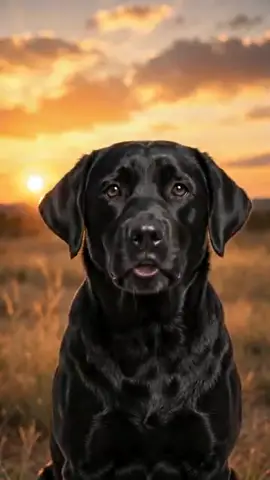
The WigglePet Remember When template creates a nostalgic memory video. You finish the sentence "Remember when…" and your pet says it aloud in a warm scene like a sunset or cozy home, generated from one photo. You approve the voice before the video is made. People use it for family stories, inside jokes between friends, and sentimental gifts.
How the Remember When Template Works
“Remember when…” You fill in the memory.
- 1
Pick your pet
One photo is enough: dog, cat, or any pet. Fill in a couple of fields to personalize the message.
- 2
Listen & approve
Hear your pet's voice saying the line before anything is generated. Approve it or retry until it's right.
- 3
Share the video
Your pet appears in the scene you chose, speaking your message, as a phone-native vertical video ready to send.
Ways to Use Remember When
Family stories
A funny family story, narrated by the pet who was there.
Inside jokes
Videos only you and your best friend will understand.
Sentimental gift
Recall a shared moment in a gift they’ll keep.
Choose Your Scene
Every Remember When video places your pet into a themed background. Green screen lets creators drop their talking pet into their own footage.
Frequently Asked Questions
What do people put in a “Remember when” video?
Shared memories: the day the pet came home, a chaotic holiday story, an inside joke. Anything that starts with "remember when" and ends with a smile.
How does the Remember When speech template work?
Pick your pet (one photo is enough), fill in a couple of fields, and choose a background scene. WigglePet composes the spoken line, you listen to your pet's voice and approve it, and the app generates a short vertical video of your pet speaking the message, ready to share.
Can I hear the voice before the video is made?
Yes. WigglePet plays the audio of your pet saying the line before any video is generated. You approve it, or retry with changes, so the final video always sounds right.
Does it work with cats, dogs, and other pets?
Yes. Any pet works from a single photo: dogs, cats, rabbits, birds, hamsters, and more.
What languages can my pet speak?
Templates are localized: your pet speaks your app language with a matching voice, so the message sounds natural in your language.
Can I use my own background?
Yes. Every template includes a green screen scene, so creators can drop their talking pet into any footage, plus a clean white studio scene.
More Speech Templates
 Remember
 Memorial
Create a gentle pet memorial video where your pet speaks a few loving words from a serene scene like the Rainbow Bridge.
 Remember
 Miss You
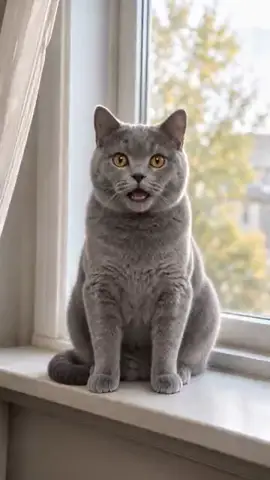
Your pet tells someone they miss them and to hurry home, filmed from the window they wait at.
 Celebrate
 Gotcha Day
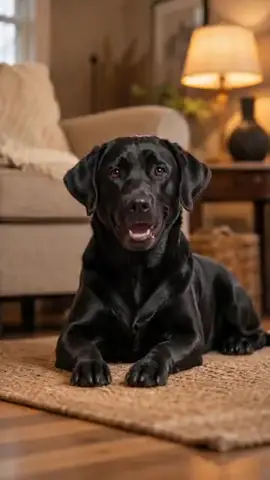
Celebrate your pet’s adoption anniversary with a Gotcha Day video: your rescue pet thanks you for giving them a home, in a cozy scene with hearts and confetti.
Try the Remember When Template
Download WigglePet free and turn one photo of your pet into a talking video in minutes.
 Scan to download